Configuration
This software has been standardized for global use. Therefore, it is important to configure it correctly during initial setup. This document guides you through the process step by step.
Prerequisites
A clean, fresh installation.
Configuring the Software
Before you begin using the software, set up the basic parameters. This ensures proper functionality and accurate data display.
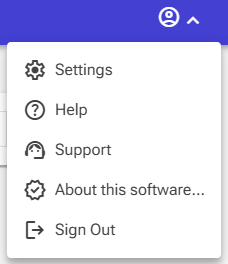
- In the top right corner of the screen, click the menu and select Settings.
-
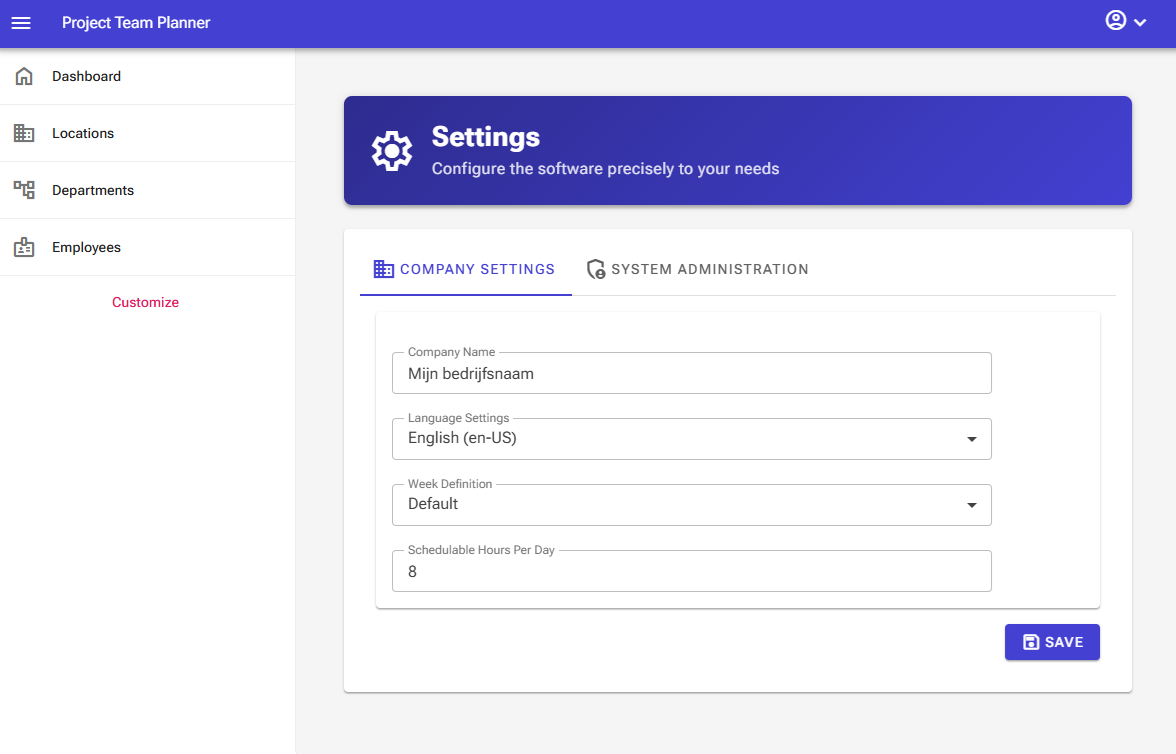
In the window that opens, go to the Company Settings tab.
-
Under Company Name, enter the name of your organization.
-
Check the Language Settings and select English (US) if needed.
-
Set the Week Definition to default (the standard used in the US for system compliance).
-
Click Save. A confirmation message will appear indicating that your settings have been successfully saved.