Leave Schedule
Overview
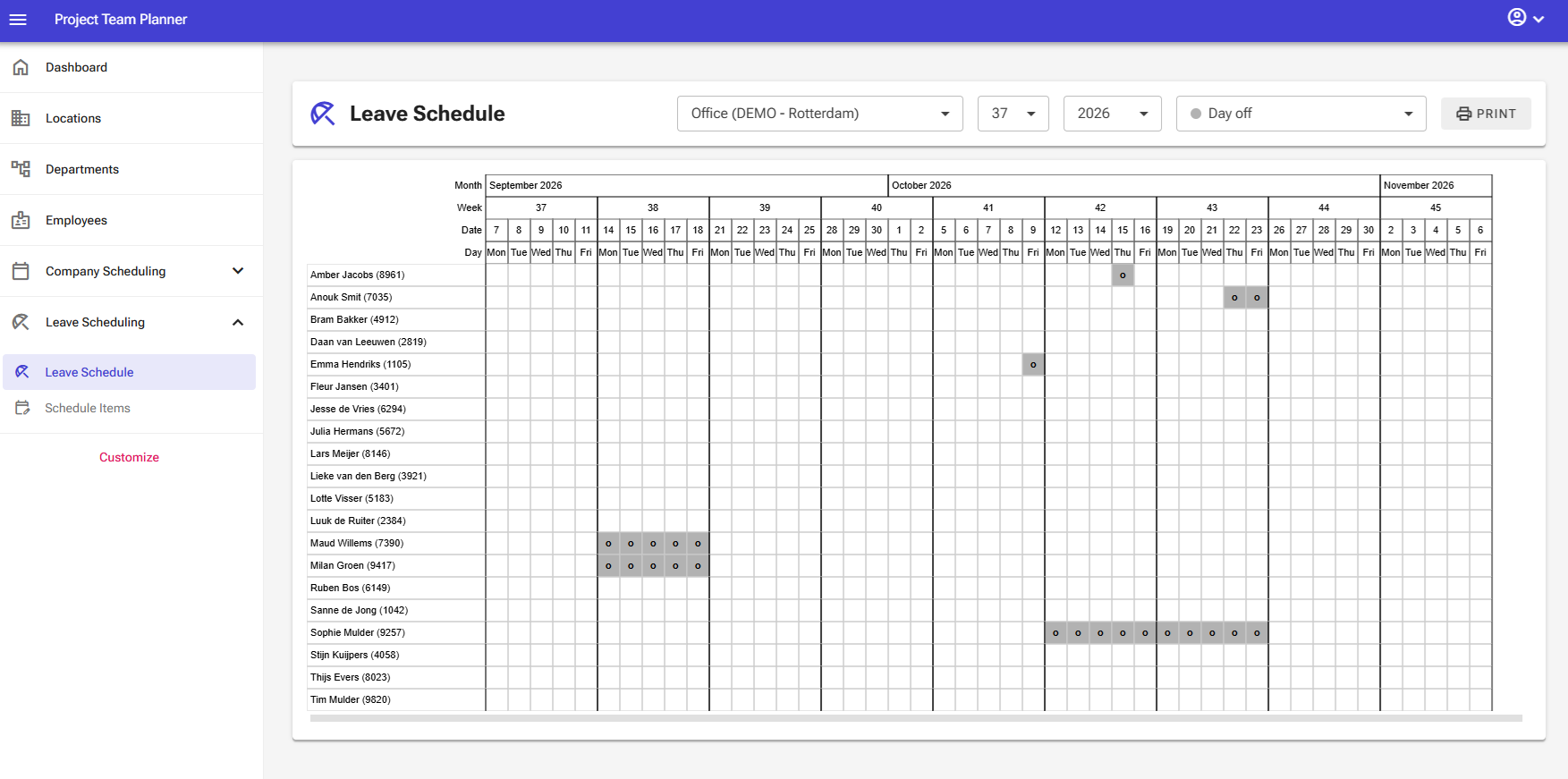
The Leave Schedule page allows you to manage employee leave, such as PTO days. Leave is managed directly within a data matrix grid.
Role
The leave schedule is an integrated part of all system schedules. It flags specific days for an employee so they cannot be scheduled elsewhere.
Prerequisites
The leave schedule is a core component of both the Employee Leave Scheduling Module and the Employee Project Scheduling Module.
Operations & Functions
The top bar and side panel provide several controls to manage and review the grid:
- Department Selector: Use the top-left dropdown menu to filter employees by department.
- Week Selector: Use the dropdown menu to choose the starting week number for the overview.
- Year Selector: Use the dropdown menu to switch between planning years.
- Schedule Item Selector: Select the specific event type (e.g., PTO day) you want to assign to an employee.
- Print Button: Opens a print template selection window where you can choose the report you want to generate.
The grid itself supports the following mouse actions:
- Left-click: Assigns the selected schedule item to an employee on a specific date.
- Left-click and drag: Assigns the selected schedule item across a range of dates for an employee.
- Right-click: Removes a scheduled item from an employee on a specific date.
- Right-click and drag: Removes scheduled items across a range of dates for an employee.
Managing Schedule Entries
Scheduling a Single Day
- Select the desired Schedule Item from the top bar dropdown menu.
- Left-click on the target date column in the employee's row to apply the item.
Scheduling a Range of Days
- Select the desired Schedule Item from the top bar dropdown menu.
- Left-click and hold on the starting date in the employee's row, drag across the date range, and release the mouse button to apply the item.
Removing a Single Day
- Right-click on any scheduled date to clear the item from that day.
Removing a Range of Days
- Right-click and hold on the starting date in the employee's row, drag across the range of dates, and release the mouse button to clear the items.
Print Options
You can print the following reports directly from this page:
- Leave Schedule (Operational): Generates a department-level leave overview suitable for sharing (GDPR compliant).
- Leave Schedule (Management): Generates a detailed leave overview for management that displays all specific scheduled item types.
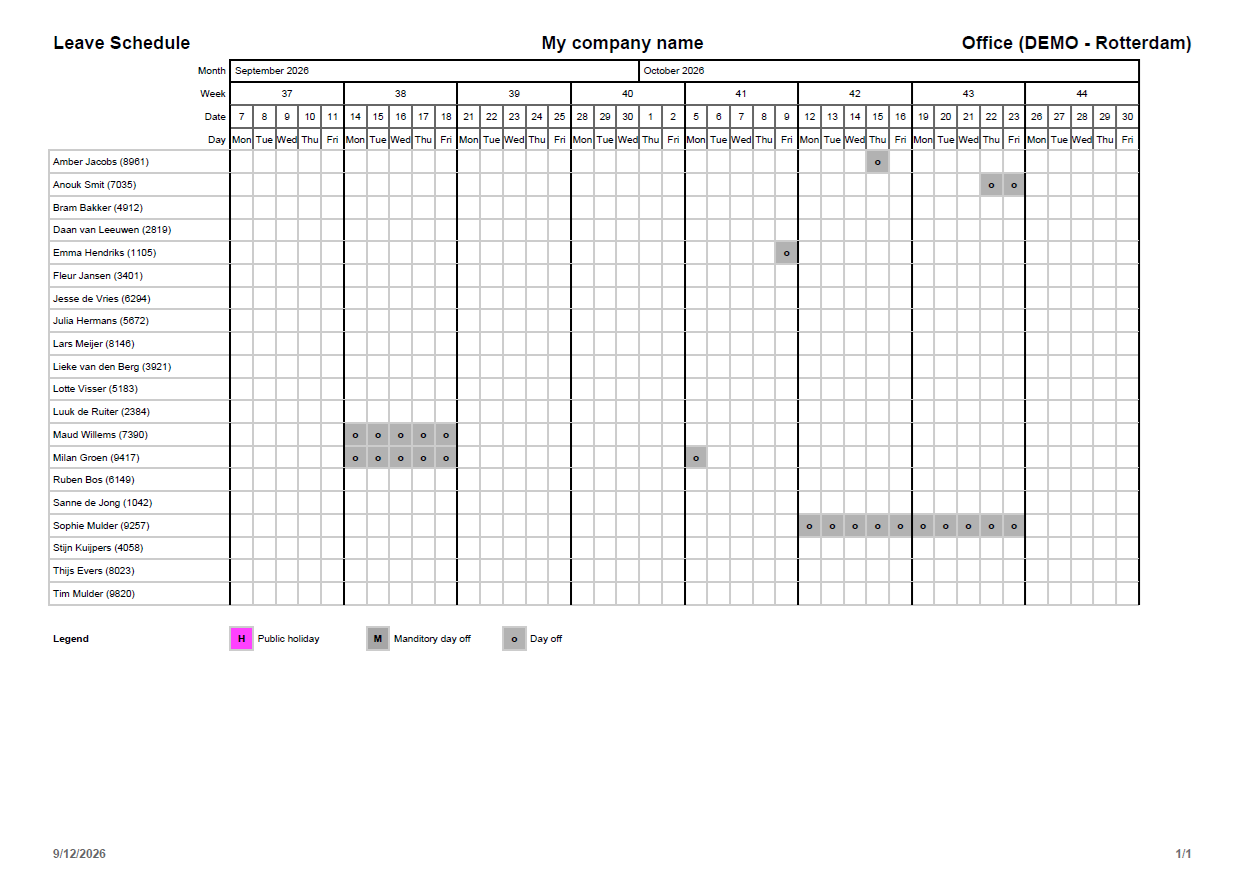
Print Example: Leave Schedule (Operational)
This is a an example of a small sized operational leave schedule print. (A4/B4/Letter/Legal paper size)
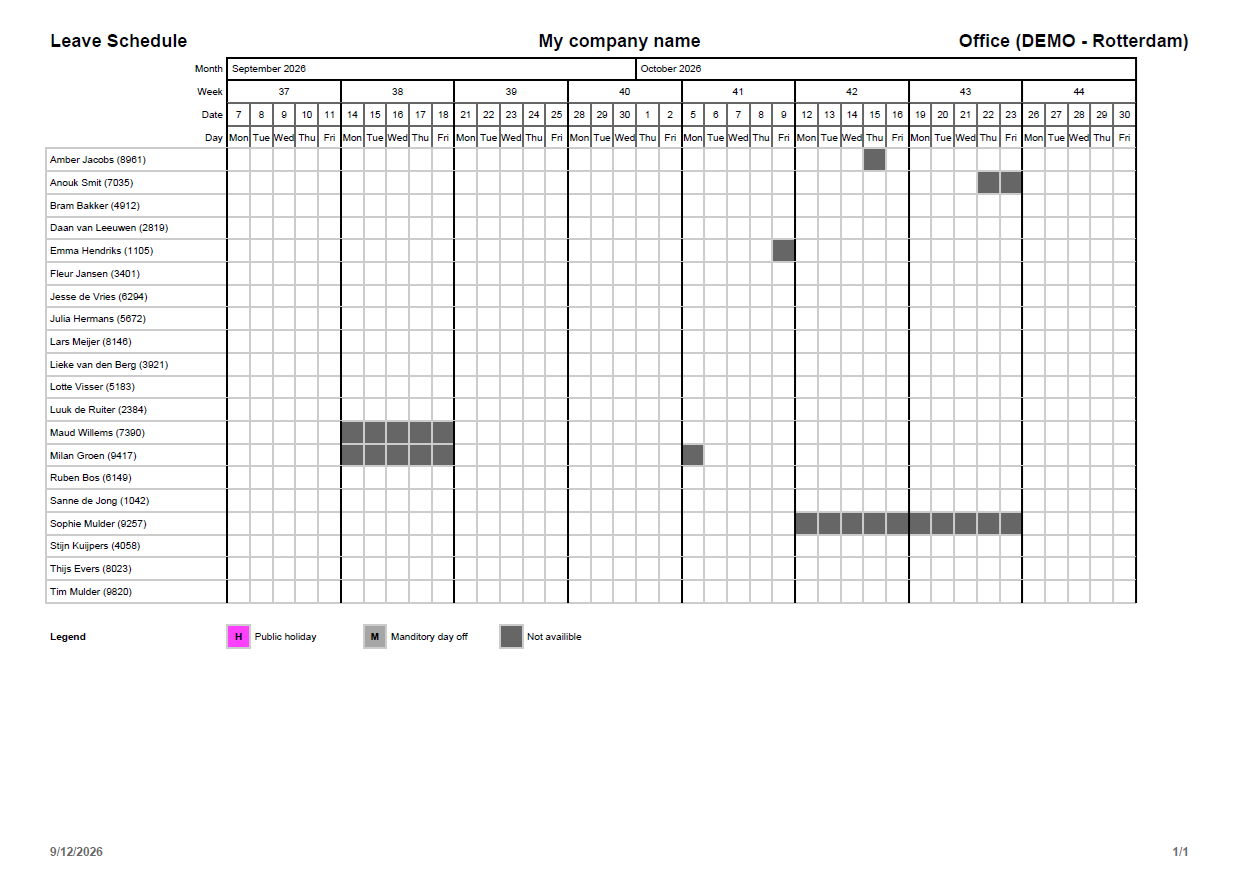
Print Example: Leave Schedule (Management)
This is a an example of a small sized operational leave schedule print. (A4/B4/Letter/Legal paper size)