Company Schedule Items
Overview
Company schedule items allow you to define the types of events available within the company schedule. Commonly, this is where you define public holidays and mandatory time-off days.
Role
The Company Schedule Items are used in the Company Schedule, and the dates they are used on are visible in the Company Schedule, Leave Scheduling and Employee Project Scheduling.
Prerequisites
Company schedule items are a core component of both the Employee Leave Scheduling Module and the Employee Project Scheduling Module.
Operation & Functions
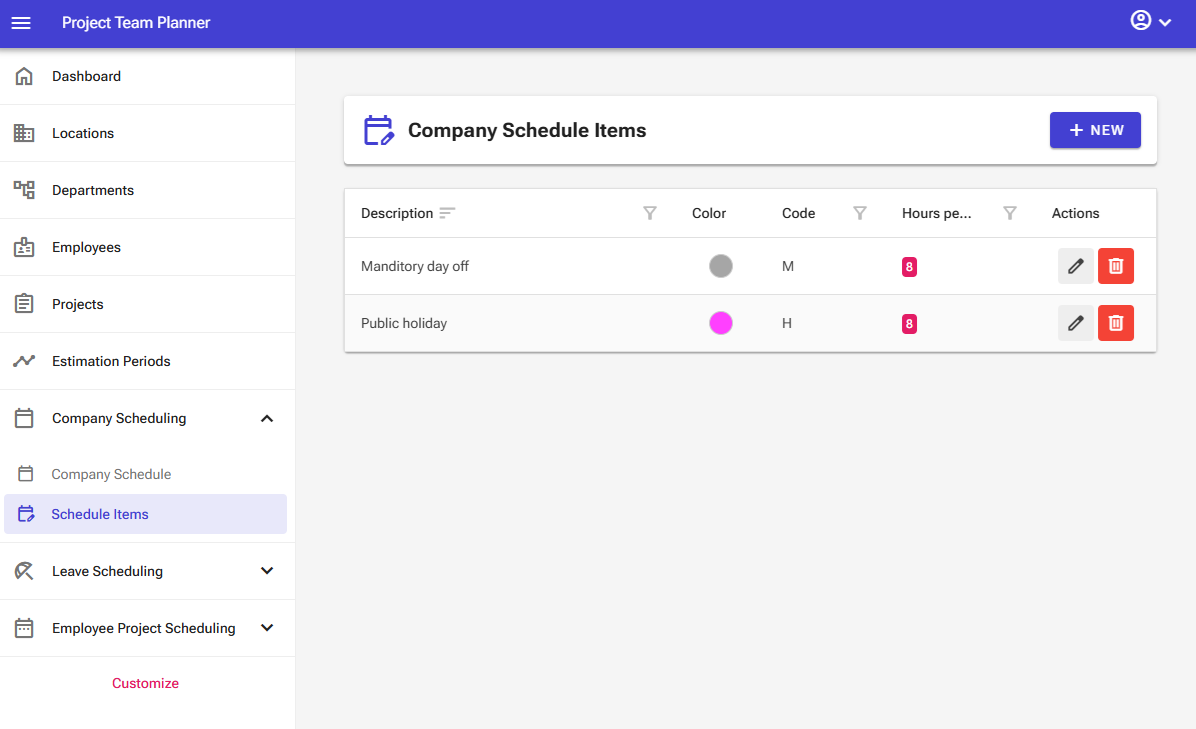
The company schedule items management screen contains the following elements:
- New button: The top bar features a "New" button that allows you to add new company schedule items.
- Overview: The screen displays an interactive table that lets you sort, filter, and search using the column headers.
The overview itself contains the following controls:
- Edit button: Allows you to edit an item.
- Delete button: Allows you to delete an item.
Note: In the server edition of the software, certain elements may not be visible depending on your user permissions.
Adding a Schedule Item
To add a new schedule item:
- Select Company Scheduling > Schedule Items from the left navigation menu.
- Click New.

- Enter a Description for the schedule item (e.g., Public Holiday), select a color, set an optional display code, and specify the number of hours the schedule item represents (typically 8 hours).
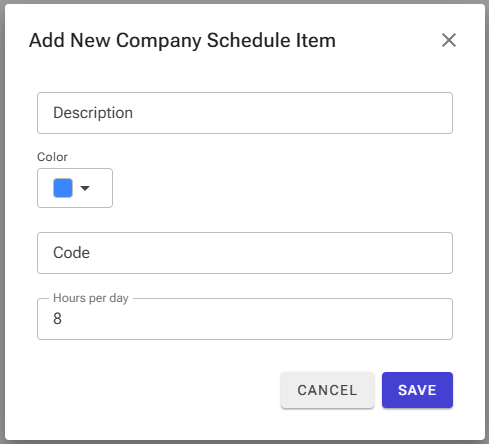
- Click Save.
Editing a Schedule Item
To update an existing schedule item:
- Select Company Scheduling > Schedule Items from the left navigation menu.
- Locate the target item and click Edit.

- Update the necessary fields and save your changes.
Deleting a Schedule Item
To remove a schedule item:
- Select Company Scheduling > Schedule Items from the left navigation menu.
- Locate the target item and click Delete.

- Confirm the deletion in the pop-up window.
Warning: Exercise extreme caution when deleting a schedule item. Deleting an item permanently removes all associated scheduled days from the calendar.