Dashboard
The dashboard provides an at-a-glance overview of your active schedule. The specific data displayed depends on your active modules, as detailed below.
Controls
The top filter bar allows you to segment data by department and adjust the time-scale units for all dashboard charts.
Employee Leave Scheduling Module
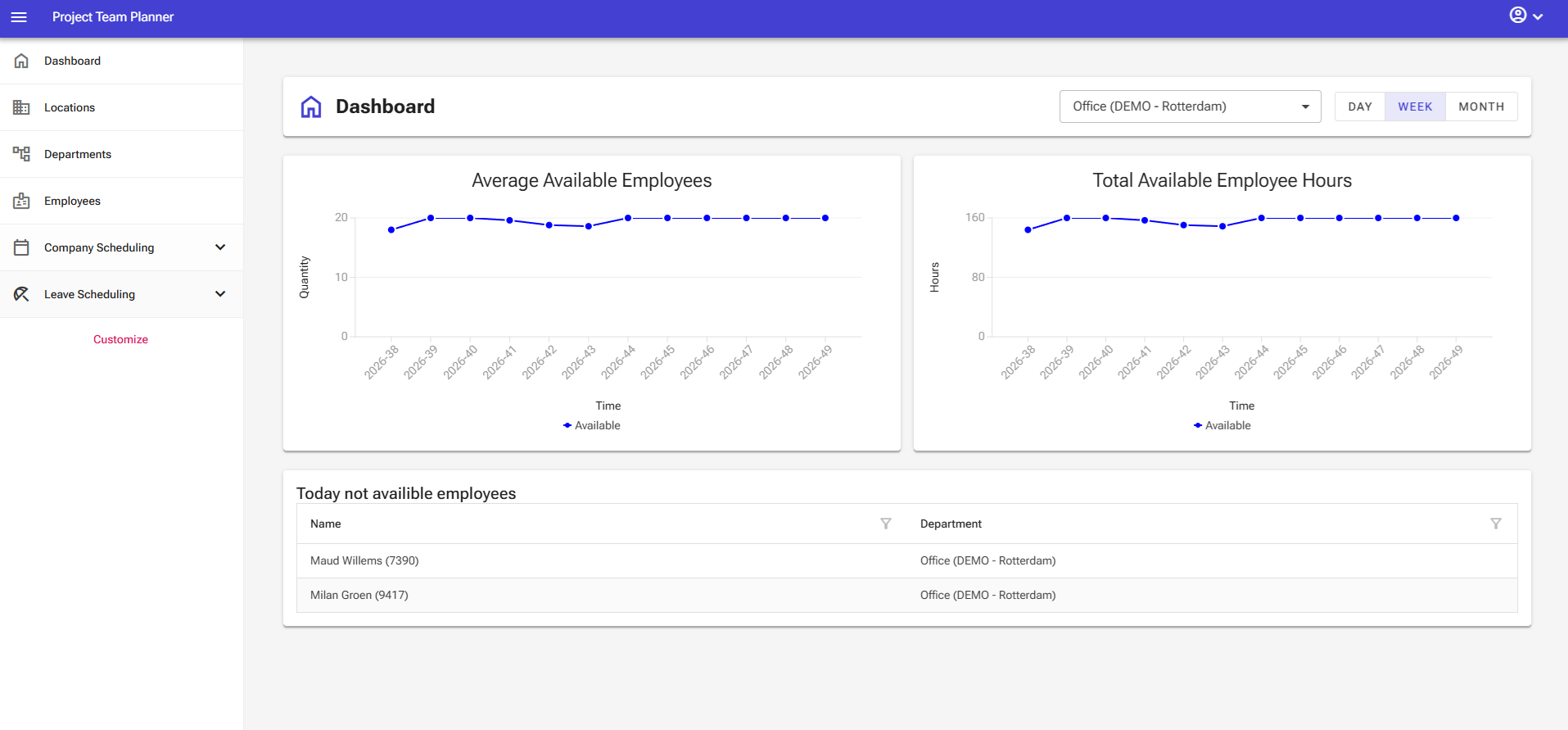
Enabling this module displays two line charts tracking capacity:
- Left Chart (Headcount): Shows total available manpower per selected time unit.
- Right Chart (Hours): Displays the same availability metrics converted into total available work hours. (Note: Expect seasonal dips in both charts during holiday periods)
Directly below the charts, a summary table highlights all off-duty staff, listing every employee currently taking leave today.
Employee Project Scheduling Module
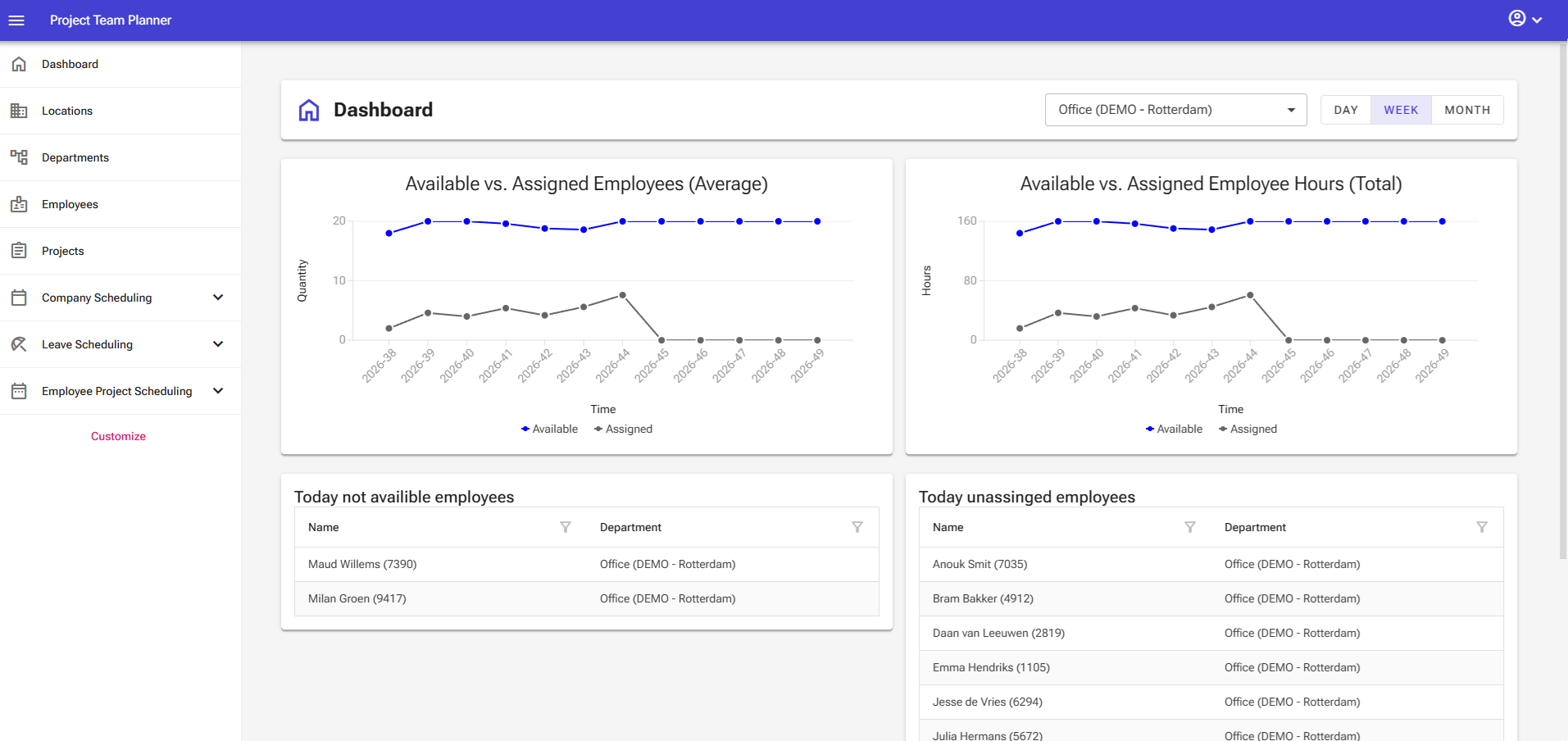
Enabling this module provides real-time allocation charts comparing capacity against assignments:
- Left Chart (Headcount): Tracks available manpower versus assigned manpower. Overlapping lines indicate full labor utilization with all active employees successfully allocated to projects.
- Right Chart (Hours): Mirrors this comparison using total available versus scheduled hours.
Below the charts, two status tables keep track of daily labor gaps:
- Unavailability Table (Left): Lists all employees currently not availible today.
- Unassigned Staff Table (Right): Lists active employees who have not been scheduled to a project today. (Goal: Keep this table empty)
Schedule Analysis Module
This module includes all features of the Employee Project Scheduling Module, along with two advanced variance tracking tools:
- Estimation Time-Scale: Adds a specialized filter view based on original project estimation periods.
- Project Group Variance Table: Located at the bottom of the dashboard, this table compares total estimated project hours against currently scheduled hours across project groups.
Any project where scheduled hours exceed estimated hours will trigger an automated warning indicator, flagging potential scope creep and budget overruns for immediate review.