Modules
Overview
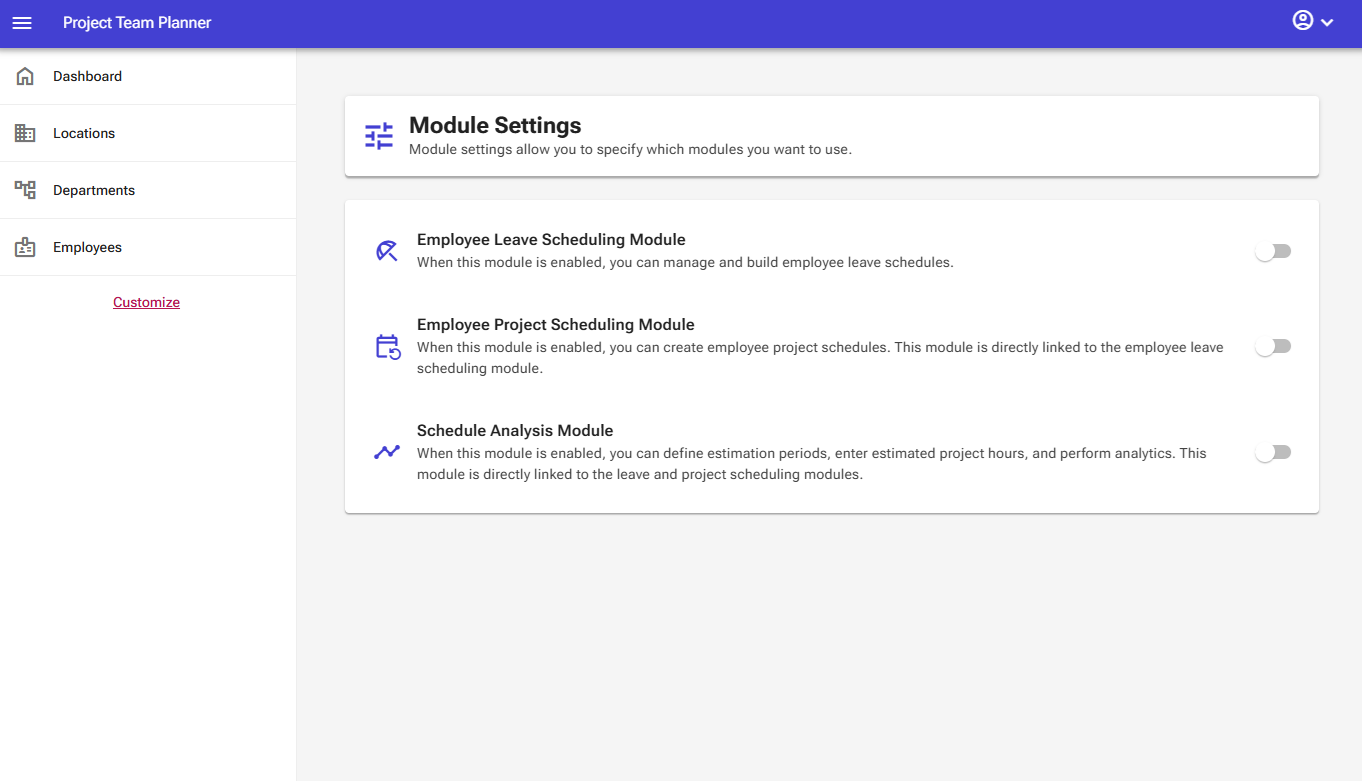
This software is built to be modular by nature. It allows you to enable the features you need while hiding the ones you don't. You can activate or deactivate these features at any time on the Modules page.
Operation & Functions
The module management page displays a list of available modules, each with a toggle switch to activate or deactivate it. Note that certain modules depend on one another; activating one may automatically enable related modules required for it to function properly.
Employee Leave Scheduling Module
The Employee Leave Scheduling module allows you to manage and schedule employee vacation days with ease.
Related to
- Branches (for filtering)
- Departments (for filtering)
- Employee Management (to control the employees)
Enables
- Company Scheduling
- Leave Scheduling
- Dashboard Insights
Employee Project Scheduling Module
This module complements the Employee Leave Scheduling module through integrated data, enabling you to assign and schedule employees to specific projects.
Related to
- Branches (for filtering)
- Departments (for filtering)
- Employee Management (to control the employees)
- Project Management (to control the projects)
- Company Scheduling
- Leave Scheduling
Enables
- Employee Project Scheduling
- Dashboard Insights
Scheduling Analysis Module
This module provides analytical tools to evaluate and optimize your schedule across projects and teams.
Related to
- Branches (for filtering)
- Departments (for filtering)
- Employee Management (to control the employees)
- Project Management (to control the projects)
- Company Scheduling
- Leave Scheduling
- Employee Project Scheduling
Enables
- Estimation Periods
- Project Estimated Hours
- Dashboard Insights