Sample Data
To help you get started quickly, you can add a bulk set of sample data to the software. If you want to test features before entering real data, follow these steps:
- In the top-right corner of the screen, open the menu and select Settings.
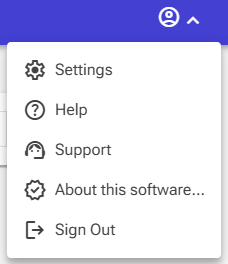
-
In the window that opens, navigate to the System Administration tab.
-
Click Add Sample Data.
Funny note: The sample data is mostly written in Dutch (NL), but its nevertheless usable for testing goals
Removing Sample Data
Removing sample data is simple:
- Go to Locations.
- Delete the DEMO record.
Deleting this record automatically removes all related data, including departments, employees, and projects.